The All-in-One Scuba Diving Toolkit
Plan. Dive. Explore.
DiveKit is a free scuba diving toolkit with 11 planning tools — including a Buhlmann ZHL-16C decompression planner, gas blender, and best mix calculator — that works 100% offline on iOS and Android. No account needed.
DiveKit is one of the best dive planner apps for iOS and Android in 2026. It includes a professional decompression planner powered by Buhlmann ZHL-16C with gradient factors, 10 free gas planning and safety tools, and works entirely offline — no internet connection or account required. DiveKit is used by recreational and technical divers on liveaboards, day boats, and expedition charters worldwide.


Free download — no account needed
Built by active tec divers. Used on liveaboards, day boats, and expedition charters.
100% Offline
Works on the boat, on the shore, underwater — no signal needed.
Verified Math
Buhlmann ZHL-16C decompression, arbitrary-precision arithmetic, and real gas compensation. Built to cross-check against dive computers running the same algorithm.
All-in-One
11 dive planning tools in a single app. No juggling spreadsheets, separate apps, or outdated desktop software.
Built for Diving
Designed for bright sun, wet thumbs, and decisions in under 30 seconds.
Features
Everything You Need to Dive Smarter
From gas planning to decompression schedules — all in one app, all offline.
Built-in Tutorials
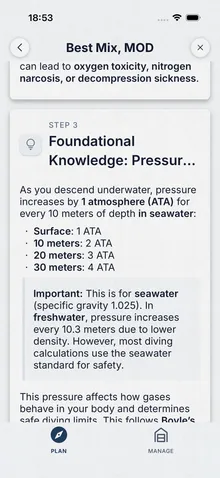
Every tool comes with a step-by-step tutorial. Learn the theory as you go.
More Tools
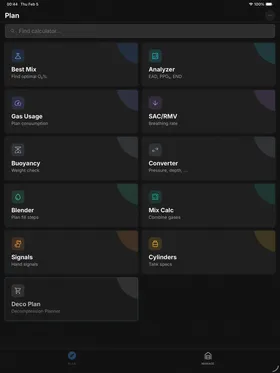
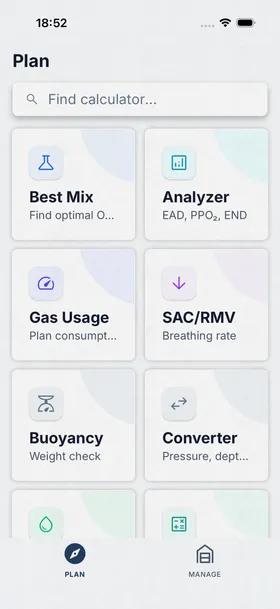
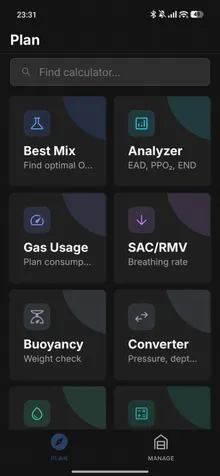
Buoyancy, unit converter, MOD, EAD, SAC/RMV, dive signals, and more — 11 tools total.
Premium
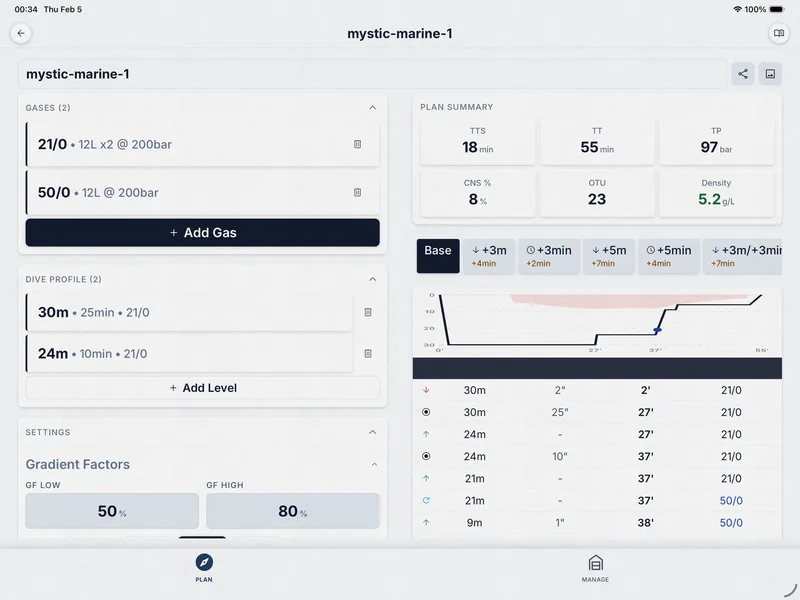
Decompression Planning, Sorted
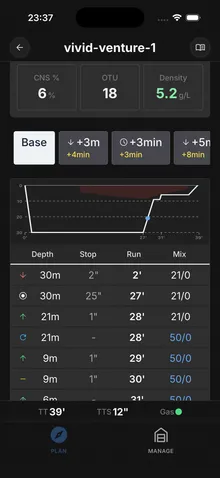
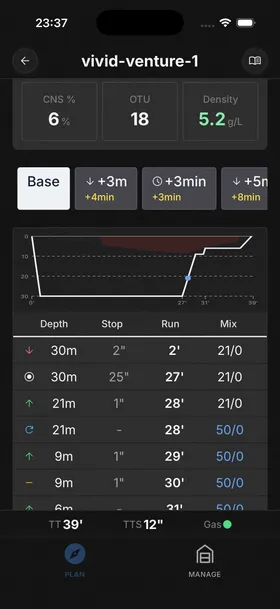
Multi-level profiles, what-if scenarios, gas switching, and slate export — plan the dive, then dive the plan.
- Plan multi-level dives with automatic gas switching and optimized ascent schedules
- Adjust GF Low/High to match your comfort level or instructor's recommendations
- Run what-if scenarios: deeper, longer, lost gas, buddy emergency
- Share dive plans via QR code or link — your buddy can import them into DiveKit or preview them in any browser
- Export a clean slate for underwater reference
- Define your gases once and reuse across all dives in a session
- Plan back-to-back dives with tissue saturation tracking between surface intervals
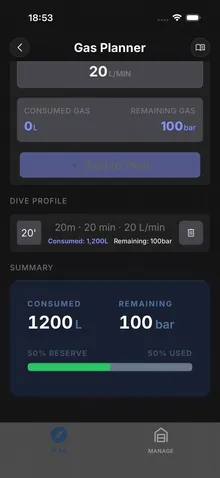
- Track remaining gas at every step of the profile — know exactly when to switch or surface
- Override settings per dive without affecting your other plans
$24.99 lifetime — one payment, every update, forever
How the Deco Planner Stacks Up
A quick look at what sets DiveKit apart from desktop deco planners.
| Feature | DiveKit | MultiDeco | Baltic |
|---|---|---|---|
| 10 Free Tools | Yes | No | No |
| Contingency Scenarios | Full | Limited | Limited |
| QR Plan Sharing | Yes | No | No |
| Slate Export | Yes | No | No |
| Platform | iOS & Android | iOS & Android | iOS Only |
| Lifetime Price | $24.99 | $49 | $30 |
Comparison based on publicly available feature lists and pricing as of early 2026. Baltic is not available in the EU.
Free Feature
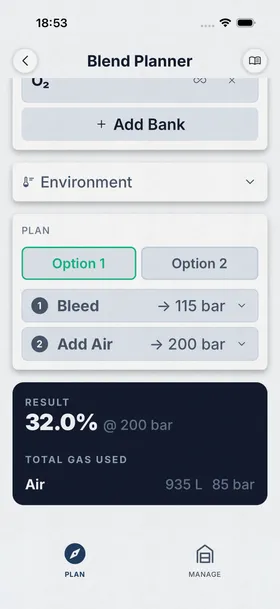
Partial Pressure Blending, Simplified
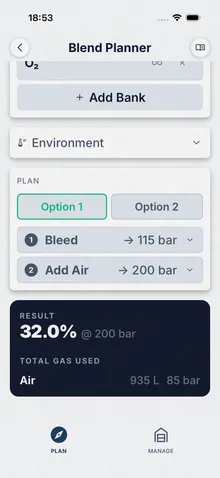
Stop doing math on scraps of paper at the fill station. Configure your banks, pick your target mix, and follow step-by-step instructions.
- Handle complex fills with multiple blending plans
- Configure any combination of O2, He, and air banks
- Follow clear, step-by-step blending instructions at the fill station
- Apply real gas compensation for better accuracy at high pressures
- Set up your bank volumes and pressures once, reuse every fill
Get Diving in Three Steps
Download, configure, dive. It's that simple.
Download
Grab DiveKit free from the App Store or Google Play. No account, no signup, no nonsense.
Set Up
Pick metric or imperial, choose light or dark theme, set your safety margins, and select your certification level. Takes 30 seconds.
Plan & Dive
Calculate your mix, plan your profile, check your gas — then go enjoy the dive.
Complete Diving Toolkit
11 tools built for every kind of dive, from recreational to technical.
Gas Planning & Mixing
Mix Calculator
Calculate gas properties for any nitrox or trimix blend.
MOD Calculator
Instantly check the maximum safe depth for your gas mix.
Safety & Reference
Weight Planner
Plan your weight setup for different environments and exposure suits.
Utility & Tracking
Tank Pressure Converter
Convert tank pressures between different units and standards.
Certifications
Track your dive certifications and training progress.
Your Next Dive Starts Here
10 free tools. Professional deco planning when you're ready for it.
No account required. No ads. Works completely offline.
Frequently Asked Questions
Everything you need to know about DiveKit.
What makes DiveKit different from other dive planning apps?
DiveKit puts 11 dive planning tools and a full Deco Planner in one app that works 100% offline — no server calls, everything runs on-device. Calculations use Buhlmann ZHL-16C for decompression and arbitrary-precision math to minimize floating-point rounding. The interface is designed for topside conditions: bright sun, wet hands, gloves.
What is the best app for planning decompression dives?
DiveKit's Deco Planner is one of the best decompression planning apps for iOS and Android. It uses the Buhlmann ZHL-16C algorithm with adjustable gradient factors (GF Low/High), supports multi-level profiles with up to 6 gases, contingency scenarios (lost gas, extended bottom time), QR plan sharing, and underwater slate export. All calculations use arbitrary-precision math and run 100% offline. $24.99 lifetime or $4.99/month with a free first month.
Is DiveKit really free?
Yes! Most features — including the Best Mix Calculator, Gas Blender, Gas Planner, Unit Converter, and more — are completely free with no ads or account required. Only the advanced Deco Planner requires a premium subscription. Download DiveKit free and try it yourself.
How accurate are the calculations?
DiveKit implements Buhlmann ZHL-16C with 16 tissue compartments, adjustable gradient factors (GF Low/High), and Van der Waals real gas compensation. All arithmetic uses arbitrary-precision math via decimal.js to minimize floating-point rounding in stop time calculations. Results are designed to align with dive computers running the same algorithm and settings, though minor differences are normal between any two implementations.
How do I calculate the best nitrox mix for my dive?
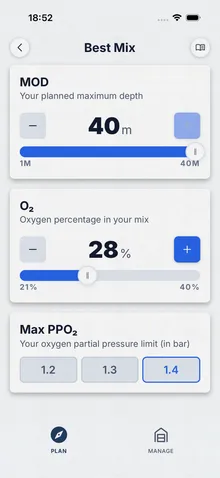
Enter your planned maximum depth and PPO2 limit (usually 1.4 bar) into DiveKit's Best Mix Calculator. It instantly computes the highest safe oxygen fraction (FO2) for that depth — the "best mix" — along with the maximum operating depth (MOD) and equivalent air depth (EAD). For example, a 30m dive at 1.4 PPO2 yields EAN35. The calculator supports both nitrox and trimix, and works 100% offline.
What app can blend trimix gases?
DiveKit's Gas Blender handles trimix, nitrox, and any custom gas mix. Configure your O2, He, and air banks, enter the target mix and final pressure, and get step-by-step partial pressure blending instructions you can follow at the fill station. It supports residual gas calculations and Van der Waals real gas compensation for accuracy at high pressures. Free, offline, no account required.
Does it work without internet?
Absolutely. Every calculator and tool works 100% offline. There are no server calls — all computations run locally on your device. Perfect for liveaboards, remote dive sites, and anywhere without cell signal.
What does the premium subscription include?
Premium unlocks the Deco Planner — decompression planning with gradient factors, multi-level profiles, contingency scenarios, plan sharing via QR code or link (import into DiveKit or preview from any browser), slate export for wet notes, and repetitive dive support. $24.99 lifetime or $4.99/month (first month free).
Can I try the Deco Planner before I buy?
Yes — the first month is free, then $4.99/month after that. Try it on a dive trip and decide. Cancel anytime. Or go with the $24.99 lifetime purchase and save from day one. Download DiveKit to get started.
Is there an offline scuba diving calculator?
Yes — DiveKit is a free offline scuba diving calculator for iOS and Android. All 11 tools work without internet: Best Mix Calculator, Gas Blender, Gas Planner, Unit Converter, Buoyancy Calculator, SAC/RMV Calculator, EAD/PPO2 Analyzer, Dive Signals, and more. No server calls, no account needed — everything runs on your device.
How do I calculate how much weight I need for scuba diving?
DiveKit's Buoyancy Calculator calculates exactly how much weight you need for neutral buoyancy. Enter your body weight, exposure suit type, cylinder specs, and gear — it simulates buoyancy across the entire dive, accounting for neoprene compression at depth, cylinder buoyancy swing from full to empty, and water density (salt vs. fresh). Free, offline, and available on iOS and Android.
Is DiveKit available on both iOS and Android?
Yes. DiveKit is available on both the Apple App Store (iOS 16+) and Google Play Store (Android 8+). Both platforms receive the same features and updates.
What languages are supported?
DiveKit currently supports English, Turkish, German, Swedish, Russian, and Polish — with more languages in development.
What's coming next?
We're actively working on CCR deco planning, a dive log, gear management, cave dive planning, and more. See our full roadmap for details. Download DiveKit and follow us for updates.
How does DiveKit compare to MultiDeco and other deco planners?
DiveKit is a modern alternative to desktop-era deco planners like MultiDeco ($49 lifetime, iOS & Android) and Baltic Deco ($30, iOS only). DiveKit offers unique features like QR plan sharing, buddy plan import, slate export for wet notes, and contingency scenarios — all at $24.99 lifetime or $4.99/month. DiveKit also includes 10 free gas planning and safety tools that other deco planners don't offer. See the full feature comparison on the Deco Planner page.
Is DiveKit good for technical diving?
Yes. DiveKit's Deco Planner is built for technical divers. It uses the Buhlmann ZHL-16C algorithm with adjustable gradient factors (GF Low/High), supports multi-gas planning with up to 6 gases, multi-level dive profiles, contingency scenarios for lost-gas and extended-bottom situations, and repetitive dive planning. All calculations use arbitrary-precision math for maximum accuracy.
Can I use DiveKit for nitrox diving?
Absolutely. DiveKit's free Best Mix Calculator computes the optimal nitrox mix for your planned depth, the MOD Calculator shows maximum operating depths for any mix, and the Partial Pressure Calculator helps verify gas safety. For technical nitrox dives with deco stops, the Deco Planner handles nitrox and multi-gas plans. All tools work offline — ideal for boat briefings and dive planning on-site.
What decompression algorithm does DiveKit use?
DiveKit uses the Buhlmann ZHL-16C decompression algorithm — the same algorithm used in many popular dive computers. It models 16 tissue compartments with adjustable gradient factors (GF Low/High) to control conservatism. DiveKit's implementation uses arbitrary-precision math (decimal.js) and Van der Waals real gas compensation for maximum accuracy, avoiding the floating-point rounding errors common in other planning software.
Is DiveKit safe to use for dive planning?
DiveKit is a planning tool designed to help divers prepare — it is not a replacement for a dive computer or proper training. The Buhlmann ZHL-16C implementation has been verified against reference tables and other established planners. We recommend always cross-checking plans with your dive computer and following your training agency's guidelines. Never dive beyond your training or certification level.
Does DiveKit work on Apple Watch or as a dive computer?
No. DiveKit is a topside dive planning app for phones and tablets — it is not a dive computer and does not track real-time depth or tissue loading underwater. DiveKit is designed for pre-dive planning: building deco schedules, calculating gas requirements, blending gases, and checking safety limits before you get in the water. Always dive with a proper dive computer.